Samsung 32 Inch Backlight Problems: A Simple Guide
Samsung 32 Inch Backlight Problems: A Simple Guide
For many consumers, Samsung 32-inch TVs are a popular choice for entertainment and home use. However, some owners have reported issues with the backlight, which is a critical component that enables the display of vivid images on the screen.
In this article, we'll delve into the common backlight problems associated with Samsung 32-inch TVs and provide a simple guide to help you troubleshoot and potentially fix the issue. From causes and symptoms to solutions and recommendations, our comprehensive guide will walk you through everything you need to know.
Understanding the Backlight Function in Samsung 32-Inch TVs
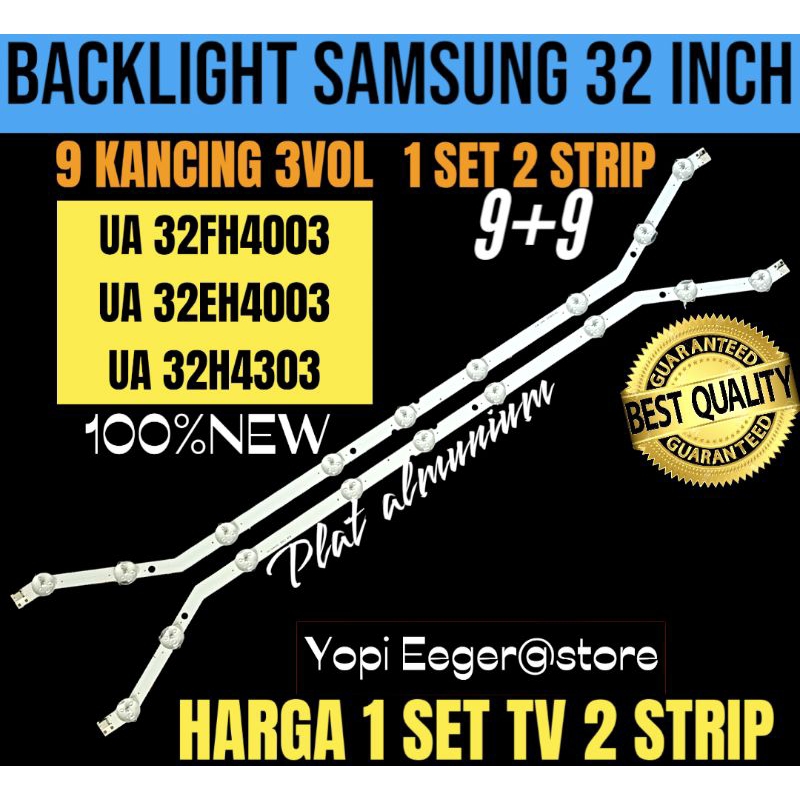
Before diving into the problems, it's essential to understand the backlight mechanism in Samsung 32-inch TVs. The backlight is a layer of LED lights located at the back of the screen that illuminate the LCD (liquid crystal display) panel. This panel is made up of millions of tiny liquid crystals that block or allow light to pass through, creating the images you see on the screen. The backlight is usually made up of several LEDs arranged in a way that casts an even layer of light over the entire screen.
What Causes Backlight Problems in Samsung 32-Inch TVs?
So, what causes backlight problems in Samsung 32-inch TVs? Here are some common reasons:
- Physical damage: Cracks or dents on the screen can cause backlight problems, especially if the damage affects the backlight's electrical connection or the driver IC (integrated circuit).
- Manufacturing defects: In some cases, the backlight may not function properly due to manufacturing defects or low-quality components.
- Aging: As the backlight ages, its brightness may decrease over time, leading to a dimmer screen.
- Dust and debris: Accumulated dust and debris on the backlight can cause it to malfunction.
- Power supply issues: A faulty power supply unit (PSU) can cause the backlight to malfunction or not turn on at all.
Symptoms of Backlight Problems in Samsung 32-Inch TVs
Backlight problems in Samsung 32-inch TVs can manifest in various ways. Here are some common symptoms to look out for:
Dim or Flickering Screen
A dim or flickering screen is a common symptom of backlight problems. If your TV's screen appears grayish or dim, it could be a sign that the backlight is not functioning correctly. Sometimes, the screen may flicker or have horizontal lines, which can be distracting and affect viewing experience.
Dead Pixels or Column or Row of Dead Pixels
Dead pixels or a column or row of dead pixels can be caused by backlight problems. Dead pixels are tiny dots on the screen that are either black or colored, while a column or row of dead pixels can be a sign of a more significant issue with the backlight or LCD panel.
Discoloration or Uneven Color Display
Discoloration or uneven color display can be caused by a malfunctioning backlight. If the backlight is not illuminating the LCD panel evenly, it can lead to color distortion or discoloration on the screen.
Diagnosing and Troubleshooting Backlight Problems in Samsung 32-Inch TVs
To diagnose and potentially fix backlight problems in Samsung 32-inch TVs, follow these steps:
Visual Inspection
Perform a visual inspection of the screen and the backlight area. Check for any signs of physical damage, such as cracks or dents. Also, inspect the backlight panel for any blockages or dust.
Check the Backlight Driver IC
The backlight driver IC is responsible for controlling the backlight's brightness and operation. If the driver IC is faulty, it can cause various lighting issues. Check if the driver IC is functioning correctly or if it's loose or damaged.
Check the Power Supply Unit (PSU)
The PSU is responsible for providing power to the backlight. If the PSU is faulty, it can cause the backlight to malfunction. Try replacing the PSU or have it checked by a professional if you're not comfortable with DIY repairs.
Check for Software Issues
In some cases, software issues can cause backlight problems. Try resetting the TV or updating the software to see if it resolves the issue.
Hardware-Only Repairs
If the issue is related to a hardware component, you may need to perform a hardware-only repair. This may involve replacing the LCD panel, backlight, or driver IC.
Replace the Backlight Panel
Replacing the backlight panel is a complex process that requires specialized tools and expertise. It's recommended to seek the help of a professional if you're not comfortable with DIY repairs.
Replace the Driver IC
Replacing the driver IC is also a complex process that requires specialized tools and expertise. As with the backlight panel, it's recommended to seek the help of a professional if you're not comfortable with DIY repairs.
Case Sensitive and Evidence-Based Repair
When repairing backlight problems in Samsung 32-inch TVs, it's essential to follow case-sensitive and evidence-based repair methods. Consult repair manuals, online forums, or seek the help of a professional if you're unsure about the repair process.
Prevention and Maintenance
Prevention and maintenance are key to extending the lifespan of your Samsung 32-inch TV's backlight. Here are some tips to help you prevent and maintain your backlight:
Clean the Backlight Area Regularly
Dust and debris can cause the backlight to malfunction or dim over time. Clean the backlight area regularly with a soft brush or a cotton swab to ensure the backlight stays clean.
Monitor Power Consumption
Monitor your TV's power consumption to ensure it's within the recommended levels. High power consumption can cause the backlight to overheat or malfunction.
Update Your TV's Software Regularly
Keeping your TV's software up to date can help resolve software-related issues that may be causing backlight problems.
Conclusion
Backlight problems in Samsung 32-inch TVs can be frustrating and affect the overall viewing experience. By understanding the causes, symptoms, and troubleshooting methods outlined in this guide, you can potentially fix the issue and extend the lifespan of your backlight. Remember to perform regular maintenance, clean the backlight area, and update your TV's software to prevent similar issues in the future. If you're not comfortable with DIY repairs or if the issue persists after troubleshooting, it's recommended to seek the help of a professional for assistance.



Related Post

<span style="color: #00698f">Unpacking 'What A Time We Live In': Exploring Its Nuances</span>

Does Gloria Borger Have Cancer? The CBS News Anchor's Health Scare

Unveiling Demet Özdemir: A Deep Dive Into The Life And Career Of The Turkish Star

"Glee Cast: The Rise, the Fades, and the Death of the Musical Phenomenon"


